Shared Libraries
Traditional creation of programs
- This is also called static linking
- The old way of creating programs was by writing multiple
source files (text files with program code), then translating each one (called
compile), thus creating
object files.
The, link these files to create an executable file, that can be run: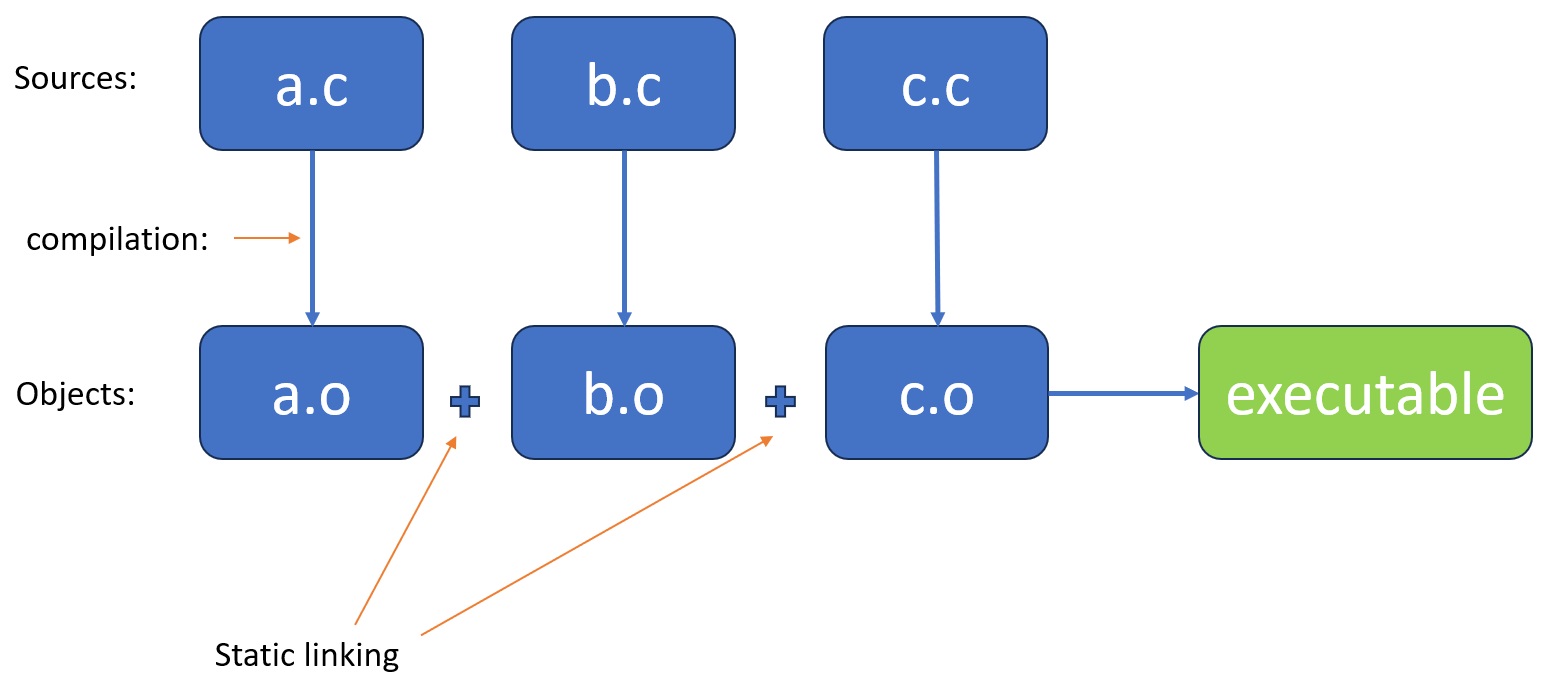
Dynamic Libraries
- You could have part of the code linked into your program when it is running (so after compilation and static linking).
- Options are:
- Link just before you program starts to run
- Link when your decides it needs the code
- You could see that an executable tries to link a shared library by using the ldd (list dynamic depeldencies) command:
1$ ldd /usr/bin/ls
2	linux-vdso.so.1 (0x00007ffe51f33000)
3	libselinux.so.1 => /lib/x86_64-linux-gnu/libselinux.so.1 (0x00007f66cf2e7000)
4	libc.so.6 => /lib/x86_64-linux-gnu/libc.so.6 (0x00007f66cf000000)
5	libpcre2-8.so.0 => /lib/x86_64-linux-gnu/libpcre2-8.so.0 (0x00007f66cf24d000)
6	/lib64/ld-linux-x86-64.so.2 (0x00007f66cf34b000)
7$
(remember that the ls command is actually an executable file)
- The libc.so.6 file from the last example is actually the C standard library, that includes many well-known C functions (printf, open, fopen, strcpy, strcat..etc)
How Dynamic Libraries save Memory and Dick Space
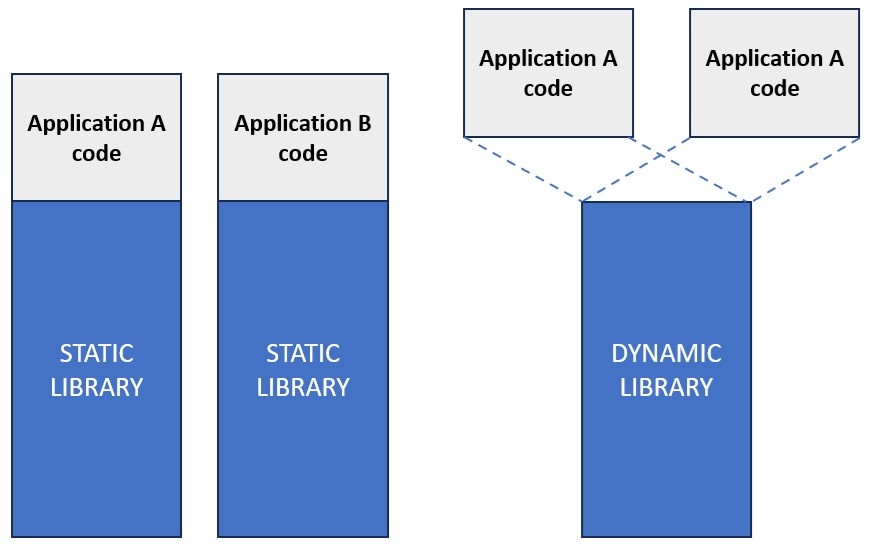
- When you use a static library, it is saved to disk with each program you create
- When you run a program that was statically linked, the static code is loaded into memory for each copy of the program.
- Think of the C standard library for example:
- it would be loaded for almost each running process
- multiple copies of the same program will copy it into RAM (and disk)
- different programs will copy it (RAM and disk)
- With a dynamic linking, a single copy os the standard library exists on disk, and a single copy in memory, and all running processes can share (link into) this copy.
- While we're not going into the details that make this possible, you can read about
virtual memory to see how this is done under the hood.